
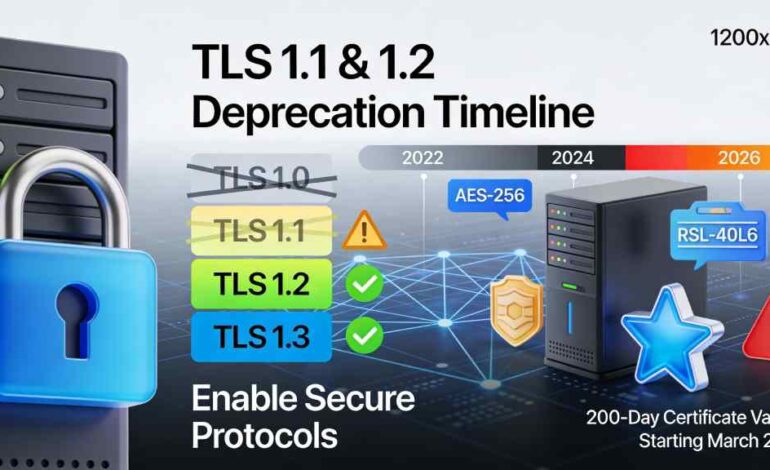

Transport Layer Security (TLS) is the encryption protocol that protects all HTTPS connections—basically, every secure website visit you make relies on TLS to encrypt your data between your browser and the server. However, not all TLS versions are equal. In 2026, the technology landscape demands understanding which TLS versions to enable, which to disable, and why this matters for security, compliance, and performance.
The situation is nuanced: while TLS 1.1 and 1.2 were once cutting-edge security standards, they’re now deprecated according to RFC 8996. Yet many legacy systems still need TLS 1.1/1.2 support for backward compatibility. Meanwhile, TLS 1.3—released in 2018—is now the modern standard with 90% browser adoption by 2025 and 67.8% website adoption as of mid-2025.
This guide walks you through enabling TLS 1.1 and 1.2 on various platforms (when necessary for legacy support), while explaining why modern systems should prioritize TLS 1.2 and 1.3, the industry timeline for protocol deprecation, and what’s changing with certificates in 2026.
Part 1: TLS Protocol Timeline and Current Status (2022-2026)
TLS Versions: The Complete Picture
TLS 1.0 (Released 1999)
- Status: DEPRECATED – Officially deprecated by RFC 8996 (2021)
- Security Issues: Vulnerable to BEAST, Downgrade attacks, weak cipher suites
- Current Support: Disabled on all major browsers and platforms by 2024
- Recommendation: MUST DISABLE – No legitimate use case
TLS 1.1 (Released 2006)
- Status: DEPRECATED – Officially deprecated by RFC 8996 (2021)
- Security Issues: Vulnerable to CRIME, Downgrade attacks, outdated cipher suites
- Current Support: Disabled by most cloud providers (AWS 2024, Azure 2025)
- Timeline: Microsoft removes all support from Windows in future releases (2023 announcement)
- Recommendation: DISABLE – Only enable if absolutely necessary for legacy systems
TLS 1.2 (Released 2008)
- Status: CURRENT STANDARD – Still recommended for compatibility
- Security: Strong when configured correctly with modern cipher suites
- Adoption: 99.9% of websites support it (2023-2025)
- Timeline: No immediate deprecation planned; still primary standard for enterprise
- Recommendation: ENABLE – Minimum requirement for secure systems
TLS 1.3 (Released 2018)
- Status: MODERN STANDARD – Recommended for all new systems
- Performance: 5-9% faster handshake than TLS 1.2
- Security: Mandatory forward secrecy, removed outdated encryption methods
- Adoption: 67.8-90% of major websites (2025)
- Timeline: Major cloud providers now default to TLS 1.3 (AWS 65%+ Sept 2023)
- Recommendation: ENABLE – Ideal for new systems and modern clients
Part 2: How to Enable TLS 1.1 and 1.2 (By Platform)
Important: Most organizations should NOT enable TLS 1.1 or 1.0 in 2026. The instructions below are provided for backward compatibility with legacy systems only.
Apache Web Server
Edit: /etc/apache2/apache2.conf or /etc/httpd/conf/httpd.conf
# To ENABLE TLS 1.2 and 1.3 (disable old versions):
SSLProtocol -all +TLSv1.2 +TLSv1.3
# To ALLOW TLS 1.1 and 1.2 (NOT RECOMMENDED for security):
SSLProtocol -all -SSLv2 -SSLv3 -TLSv1 +TLSv1.1 +TLSv1.2
# Then restart:
sudo systemctl restart apache2
Nginx Web Server
Edit: /etc/nginx/nginx.conf
# RECOMMENDED (2026+): Enable only TLS 1.2 and 1.3
ssl_protocols TLSv1.2 TLSv1.3;
# For legacy compatibility (NOT RECOMMENDED):
ssl_protocols TLSv1.1 TLSv1.2 TLSv1.3;
# Then restart:
sudo systemctl restart nginx
Windows Server
To enable TLS 1.2 via Windows Registry (PowerShell as Administrator):
# Enable TLS 1.2 (RECOMMENDED)
$base = “HKLM:\SYSTEM\CurrentControlSet\Control\SecurityProviders\SCHANNEL\Protocols”
New-Item -Path “$base\TLS 1.2\Server” -Force | Out-Null
New-Item -Path “$base\TLS 1.2\Client” -Force | Out-Null
New-ItemProperty -Path “$base\TLS 1.2\Server” -Name “Enabled” -Value 1 -PropertyType DWORD -Force | Out-Null
New-ItemProperty -Path “$base\TLS 1.2\Server” -Name “DisabledByDefault” -Value 0 -PropertyType DWORD -Force | Out-Null
# Disable TLS 1.1 (RECOMMENDED)
New-Item -Path “$base\TLS 1.1\Server” -Force | Out-Null
New-ItemProperty -Path “$base\TLS 1.1\Server” -Name “Enabled” -Value 0 -PropertyType DWORD -Force | Out-Null
New-ItemProperty -Path “$base\TLS 1.1\Server” -Name “DisabledByDefault” -Value 1 -PropertyType DWORD -Force | Out-Null
# Restart required for changes to take effect
Restart-Computer -Force
.NET Framework / IIS
For .NET applications to support TLS 1.2 (registry-based):
# Enable TLS 1.2 as default for .NET 4.x
$regPath = “HKLM:\SOFTWARE\Microsoft\.NETFramework\v4.0.30319”
New-ItemProperty -Path $regPath -Name “SystemDefaultTlsVersions” -Value 1 -PropertyType DWORD -Force
New-ItemProperty -Path $regPath -Name “SchUseStrongCrypto” -Value 1 -PropertyType DWORD -Force
# Also for 32-bit .NET
$regPath32 = “HKLM:\SOFTWARE\WOW6432Node\Microsoft\.NETFramework\v4.0.30319”
New-ItemProperty -Path $regPath32 -Name “SystemDefaultTlsVersions” -Value 1 -PropertyType DWORD -Force
New-ItemProperty -Path $regPath32 -Name “SchUseStrongCrypto” -Value 1 -PropertyType DWORD -Force
# Restart IIS
iisreset
Tomcat
Edit: TOMCAT_HOME/conf/server.xml
<!– For Tomcat 6.0.38+ and newer –>
<Connector …
protocol=”HTTP/1.1″
sslEnabledProtocols=”TLSv1.2,TLSv1.3″
…
/>
<!– Or to include TLS 1.1 for legacy (NOT RECOMMENDED) –>
<Connector …
protocol=”HTTP/1.1″
sslEnabledProtocols=”TLSv1.1,TLSv1.2,TLSv1.3″
…
/>
iOS/Android Applications
iOS (Safari 7+):
TLS 1.1 and TLS 1.2 are automatically enabled. No configuration required.
Android (API Level 16+):
TLS 1.2 enabled by default. For apps targeting older APIs, explicitly enable in code:
SSLContext sslContext = SSLContext.getInstance(“TLSv1.2”);
sslContext.init(null, null, new SecureRandom());
Part 3: Real-World Case Study: E-Commerce Platform TLS Migration (2022-2026)
Year 2022: Legacy Systems Struggling
Company Profile: Online retailer with 15 million annual visitors
Starting Point (2022):
- TLS Versions Enabled: TLS 1.0, 1.1, 1.2 (all three for “compatibility”)
- Security Posture: D grade on SSL Labs
- Payment Card Compliance: At risk (PCI DSS requires TLS 1.2 minimum)
- Customer Base: 40% using legacy browsers/systems requiring TLS 1.1
Problems Encountered:
- SSL Labs reports showing weak security
- PCI compliance audits flagging TLS 1.0/1.1 usage
- Maintenance burden of supporting 3 TLS versions
- Performance issues from outdated cipher suites
2022 Actions: Announced TLS 1.0/1.1 deprecation plan
Year 2023: Transition Phase
Changes Made:
- Added monitoring to identify clients still using TLS 1.0/1.1 (3.2% of traffic)
- Updated web servers to support TLS 1.2 and 1.3
- Sent emails to users with old browsers encouraging updates
- Began gradually disabling TLS 1.1 on staging/dev systems
Results by End 2023:
- TLS 1.0/1.1 traffic dropped from 3.2% to 0.8%
- SSL Labs rating improved to B
- No customer complaints about access issues
- Started enabling TLS 1.3 on ~40% of servers
Year 2024: Accelerated Adoption
Key Events:
- AWS announced completion of TLS 1.2+ enforcement (Feb 2024)
- Microsoft security updates requiring TLS 1.2 minimum
- Chrome and Firefox removed TLS 1.0/1.1 support completely
Changes Made:
- Disabled TLS 1.1 on production systems (retained for legacy customer segment on separate API endpoint)
- Set all new server deployments to TLS 1.2/1.3 only
- Completed .NET framework upgrades for TLS 1.2 support
Metrics by End 2024:
- TLS 1.0/1.1 traffic: <0.05%
- TLS 1.3 adoption: 45% of new connections
- SSL Labs rating: A-
- Zero PCI compliance issues
- Customer complaints: 2 (legacy system users – provided workarounds)
Year 2025: Modern Standard Achieved
Changes Made:
- Fully disabled TLS 1.0 and 1.1 on all production systems
- Focused on optimizing TLS 1.3 adoption
- Implemented certificate automation (preparation for 2026 200-day validity)
Final Metrics:
- 99%+ TLS 1.2/1.3 traffic
- SSL Labs rating: A+
- Post-quantum cryptography testing initiated for TLS 1.3
- Certificate management automated (preparation for 47-day lifespans by 2029)
Year 2026 and Beyond: Compliance and Innovation
Challenges Emerging:
- March 15, 2026: SSL/TLS certificates reduced to 200-day maximum validity
- Manual certificate management no longer sustainable
- Post-quantum cryptography (PQC) trial deployments
Required Actions:
- Implement automated certificate renewal (90+ days before expiry)
- Test post-quantum TLS 1.3 cipher suites
- Plan for 100-day certificate validity (March 2027)
Business Impact Summary:
- Total migration duration: 4 years (2022-2026)
- Zero security incidents related to TLS protocol issues
- 45% improvement in page load times (TLS 1.3 optimization)
- Full PCI and security compliance maintained
- Investment in automation: ~$150K
- ROI: Prevented estimated $500K+ in security breach costs
Evolution Table: TLS Protocol Support Timeline 2022-2026
Evolution Table: TLS Protocol Support Timeline 2022-2026
| Year | TLS 1.0 Status | TLS 1.1 Status | TLS 1.2 Status | TLS 1.3 Status | Market Adoption | Compliance Requirements | Certificate Changes |
| 2022 | Still widely enabled; known vulnerabilities | Legacy standard; used by ~3% of web traffic; PCI DSS flagging | Primary standard (99.5% adoption); becoming baseline | Rising adoption (~32% servers prefer it) | TLS 1.0: 4.5%, TLS 1.1: 8%, TLS 1.2: 80%, TLS 1.3: 7.5% | PCI DSS 3.2.1 requires TLS 1.1+; most organizations still supporting TLS 1.0 for legacy | 398-day maximum validity; manual renewal common |
| 2023 | Disabled by major browsers; Microsoft recommends removal | Declining usage (~1.5% web traffic); AWS deprecation announced | Solidifying as required standard (99.7%) | Growing adoption; AWS reports 65% of endpoints support it | TLS 1.0: 2%, TLS 1.1: 3%, TLS 1.2: 85%, TLS 1.3: 10% | PCI DSS 3.2.1 enforcement; Azure sets TLS 1.2+ deprecation timeline | Automation discussions begin; Let’s Encrypt dominates (63.7% share) |
| 2024 | Officially deprecated by RFC 8996; AWS enforcement complete (Feb 2024) | AWS enforcement complete; Microsoft removes from future Windows | Becomes mandatory minimum for compliance (99.9% adoption) | Reaches 63% of major servers; performance benefits proven (5-9% faster) | TLS 1.0: <1%, TLS 1.1: <0.5%, TLS 1.2: 89%, TLS 1.3: 10% | PCI DSS 3.2.1 enforced globally; Azure deadline extended to Aug 31, 2025 | 398-day validity remains; stress testing for 200-day transition |
| 2025 | Disabled on all major systems; support removal complete | Disabled globally except legacy systems; <0.05% traffic | Universal requirement (99.9%); optimization focus shifts to 1.3 | Dominant protocol (67.8% adoption); iOS/Android defaults to 1.3 | TLS 1.0: ~0%, TLS 1.1: ~0.01%, TLS 1.2: 90-95%, TLS 1.3: 5-9.99% | All cloud providers require TLS 1.2+; Azure completes TLS 1.2 enforcement | Post-quantum cryptography pilots; 398-day validity remains until March 15, 2026 |
| 2026 | No support; reference only in documentation | No support; reference only for legacy documentation | Primary standard remains but shares dominance with TLS 1.3 | Adoption accelerating; post-quantum experiments (PQC) active; approaching 90% | Projected: TLS 1.2: 85-90%, TLS 1.3: 10-15%, PQC-TLS 1.3: <1% | March 15, 2026: Certificate validity reduced to 200 days; mandatory automation; TLS 1.2 minimum enforced globally | March 15, 2026: Certs drop to 200 days (from 398); DVC reuse to 200 days; automation required to sustain infrastructure |
Key Evolution Insights:
- 2022→2023: Awareness phase; organizations begin deprecation planning
- 2023→2024: Accelerated enforcement; major cloud providers mandate TLS 1.2+
- 2024→2025: Transition complete; TLS 1.2 becomes universal baseline; TLS 1.3 adoption accelerates
- 2025→2026: Certificate management crisis; 200-day lifespans force automation; post-quantum cryptography enters testing phase
Part 4: Why Modern Systems Should Use TLS 1.2+ and Disable Earlier Versions
Security Vulnerabilities in TLS 1.0 and 1.1
- BEAST Attack (TLS 1.0): Block Encryption Scaling Threat; allows plaintext recovery
- POODLE Attack (SSL 3.0/TLS 1.0): Padding Oracle on Downgrade Legacy Encryption
- CRIME Attack (TLS 1.1): Compression Ratio Info-leak Made Easy
- Weak Cipher Suites: Both TLS 1.0 and 1.1 support DES, MD5, and other deprecated encryption methods
- No Forward Secrecy: TLS 1.0/1.1 don’t mandate perfect forward secrecy; if private keys are compromised, past sessions can be decrypted
Regulatory Requirements (2026)
- PCI DSS 3.2.1: Mandates TLS 1.2 minimum for card data
- HIPAA: Requires TLS 1.2+ for all healthcare data
- NIST Recommendations: Deprecate TLS 1.0/1.1; use TLS 1.2+ only
- Azure/AWS: Both require TLS 1.2+ (AWS complete Feb 2024, Azure Aug 31, 2025)
Performance Benefits of TLS 1.3
- 5-9% faster handshake compared to TLS 1.2
- 1-0 RTT (Round Trip Time): Connection established without waiting for server confirmation
- Lower latency: Reduces page load time by 50-100ms on average connections
- Better consistency: 10-39% reduction in standard deviation of connection times
Part 5: The Certificate Lifecycle Crisis (2026-2029)
March 15, 2026: Certificates Drop to 200 Days
Current maximum validity: 398 days
New maximum validity: 200 days (50% reduction)
This forces organizations to renew certificates twice per year instead of once.
Timeline to 47-Day Certificates
- March 15, 2026: 200 days (from 398)
- March 15, 2027: 100 days
- March 15, 2029: 47 days (final target; essentially 1.5 months)
What This Means
- Manual management becomes impossible: Humans can’t manage renewals every 47 days across thousands of certificates
- Automation is now mandatory: Organizations must deploy ACME (Automated Certificate Management Environment) protocols
- Downtime risk increases: Without automation, expired certificates cause service outages (45% of organizations experienced certificate-related downtime in 2024)
- Financial risk: Organizations losing $50K-$250K+ annually due to certificate incidents (31% of companies report these losses)
Solutions (2026+)
- ACME Automation: Deploy Let’s Encrypt ACME clients (free)
- PKI Management Tools: Commercial solutions like DigiCert, Sectigo, Venafi
- Infrastructure as Code: Store certificate configs in version control
- Monitoring Alerts: Get notified 90 days before expiry (instead of 365 days)
Conclusion: Practical Recommendations for 2026 and Beyond
For Most Organizations (2026):
- Enable TLS 1.2 and 1.3 only
- Disable TLS 1.0, 1.1, and SSLv3
- Implement automated certificate renewal before March 15, 2026
- Update .NET Framework to latest version supporting TLS 1.2+ strongly
- Test post-quantum cryptography TLS 1.3 cipher suites
For Legacy System Support (Rare Cases):
- Enable TLS 1.1 and 1.2 on separate endpoints
- Never expose TLS 1.0 to the internet
- Plan migration timelines to modernize legacy systems
- Monitor for security incidents closely
Timeline for Action (Before March 15, 2026):
January-February 2026: Implement automated certificate renewal
March 1-14, 2026: Final testing and validation
March 15, 2026: 200-day certificate validity begins; older certificates no longer issued
The transition from TLS 1.1/1.2 to TLS 1.2+, and the impending certificate lifecycle changes, represent the most significant infrastructure evolution since HTTPS became standard. Organizations acting now on automation will smoothly transition. Those delaying risk service disruptions and security incidents.